
Get paid. Skip the blah.
Overdue invoices, chased for you.
PayBlah finds what’s overdue and sends polite, persistent reminder emails — in your name, in your voice. The second a payment lands, it stops. SMS is coming soon.
-
Day 3
“Hi Dana, just a quick nudge — invoice INV-1042 was due on May 30 and looks to be a few days behind.”
-
Day 7
“Hello Dana, invoice INV-1042 for $1,850 is now one week past its due date of May 30.”
-
Day 9
Recorded as paid. The Workflow stops here.
-
Day 14
Never sends
-
Day 21
Never sends
The part of the job nobody invoices for
It’s 9:40pm and you’re still rewording the same reminder email.
Softening it so it doesn’t sound rude. Wondering if they’ll be offended. Deciding to leave it another week — again. You did the work months ago, and somehow chasing the money for it has become the job you do at the kitchen table, after the real work is done.
PayBlah takes that whole job off your plate. It sends the polite nudges you keep putting off — on schedule, in your name — and it never feels awkward, never softens the follow-through, and never forgets. You do the work. It does the awkward part.
Tomorrow morning: one glance at the dashboard, nothing left to dread.

The next morning
7:04am. Coffee. One glance. Done.
The reminders sent themselves at 9:15 yesterday, politely, in your name. The overdue list is shorter, anything that needs a human is waiting in one tidy queue — and the kitchen table is just a kitchen table again.
- Reminders go out on schedule, not when you finally get to them
- Anything ambiguous stopped and asked you first
- The evening chasing shift is gone
The first question everyone asks
Won’t this annoy my customers?
Fair question — you’re trusting software with relationships you spent years building. It’s built so it doesn’t — and it’s worth spelling out exactly how.
-
It speaks as you, not about you
Every reminder goes out in your business’s name, in your voice, from templates you can edit word for word. Your customer never hears from a stranger — PayBlah stays invisible.
-
It stops the second they pay
Payment, part-payment, a reply, a dispute, a promise to pay — any of them halts the chase instantly. Nobody ever gets a reminder for an invoice they’ve already settled.
-
Nothing firm sends itself
Early reminders are gentle nudges. The firmer steps wait for your explicit approval before they go anywhere — and any customer can be flagged never chase, forever.
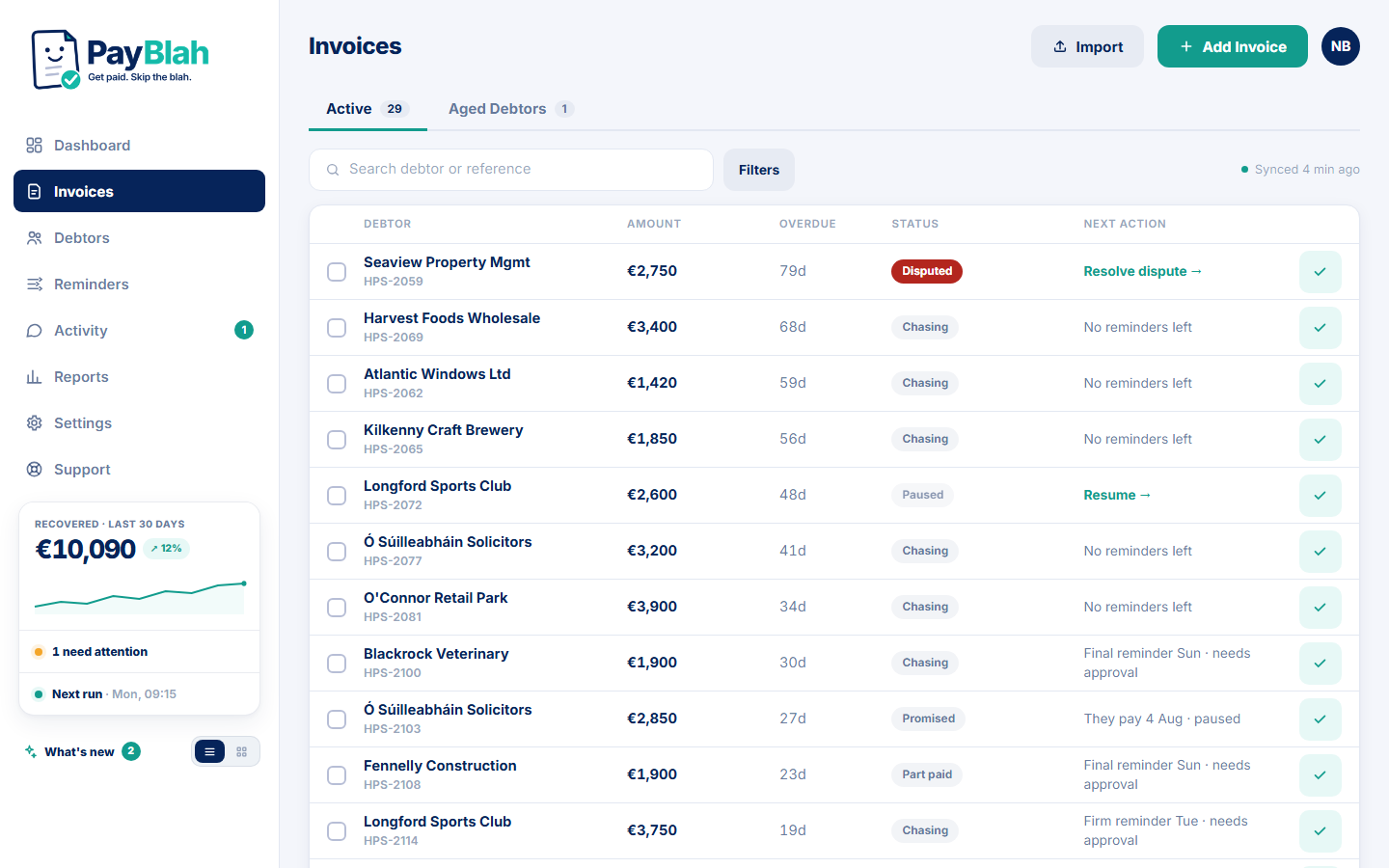 A dispute stops the chase. A reply pauses it. Firm steps wait for you. All of it, on every plan.
Worth remembering: most late payment isn’t malice. It’s a lost invoice, a new bookkeeper, a busy month — exactly the kind of thing a polite, consistent nudge is designed to fix.
Who it’s for
Built for the businesses that do the work first and invoice after
If your week has better uses than writing “just checking in…” — this is for you.
 Construction
Stage payments and retentions, chased while you’re on the next site.
Construction
Stage payments and retentions, chased while you’re on the next site.
 Electrical
On the next service call before the last invoice is opened.
Electrical
On the next service call before the last invoice is opened.
 Plumbing
Emergency jobs and contract work, followed up without you writing a word.
Plumbing
Emergency jobs and contract work, followed up without you writing a word.
 Landscaping
Seasonal contracts and commercial grounds accounts, on schedule.
Landscaping
Seasonal contracts and commercial grounds accounts, on schedule.
 Wholesale
Dozens of trade accounts on 30-day terms, each a little bit late.
Wholesale
Dozens of trade accounts on 30-day terms, each a little bit late.
 Logistics
High volume, thin margins — business customers who drift past terms.
Logistics
High volume, thin margins — business customers who drift past terms.
 Agencies
The awkward retainer nudge, handled for your creative team.
Agencies
The awkward retainer nudge, handled for your creative team.
 IT & consultancies
Project milestones and managed-service invoices, chased on schedule.
IT & consultancies
Project milestones and managed-service invoices, chased on schedule.
 Accountants
You chase everyone else’s numbers — your own fees deserve the same.
Accountants
You chase everyone else’s numbers — your own fees deserve the same.
 Hospitality
Trade accounts and event invoices, out of the back-office pile.
Hospitality
Trade accounts and event invoices, out of the back-office pile.
B2B only — PayBlah chases business invoices, never consumer debt. See all industries Guides & Resources
How it works
Three steps, then it just runs
Set up in an afternoon — not a three-week implementation project.
-
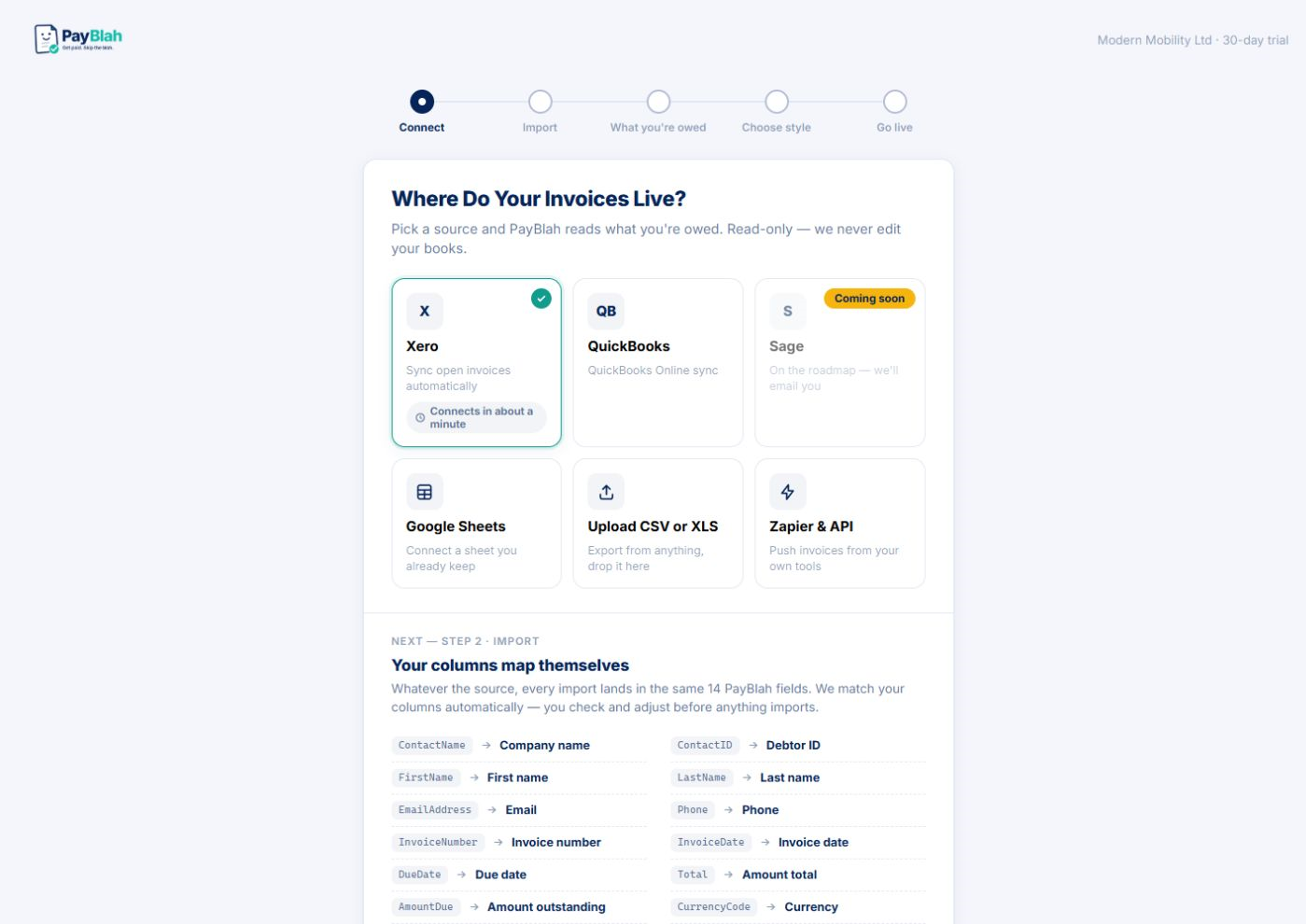
Bring your invoices in
Import a spreadsheet (CSV or Excel .xlsx — not legacy .xls) or enter invoices by hand. Accounting connectors for Xero, QuickBooks Online and Sage are coming soon — not claimed live until each one ships.
-
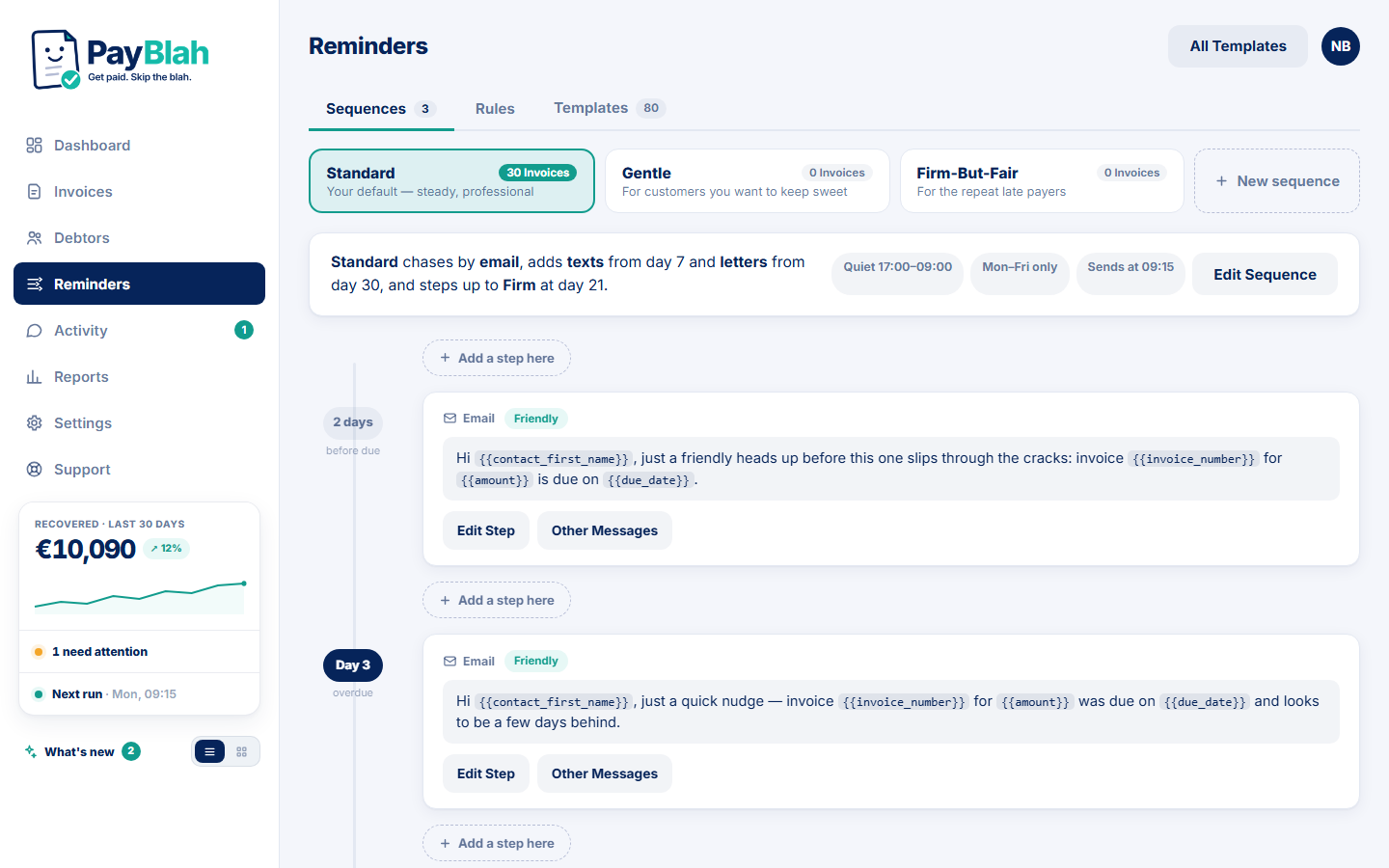
Choose how you sound
Pick a Workflow — gentle, standard, firm, or built your own way — and make every template sound like you wrote it. Set quiet hours, weekends off, and who never gets chased.
-
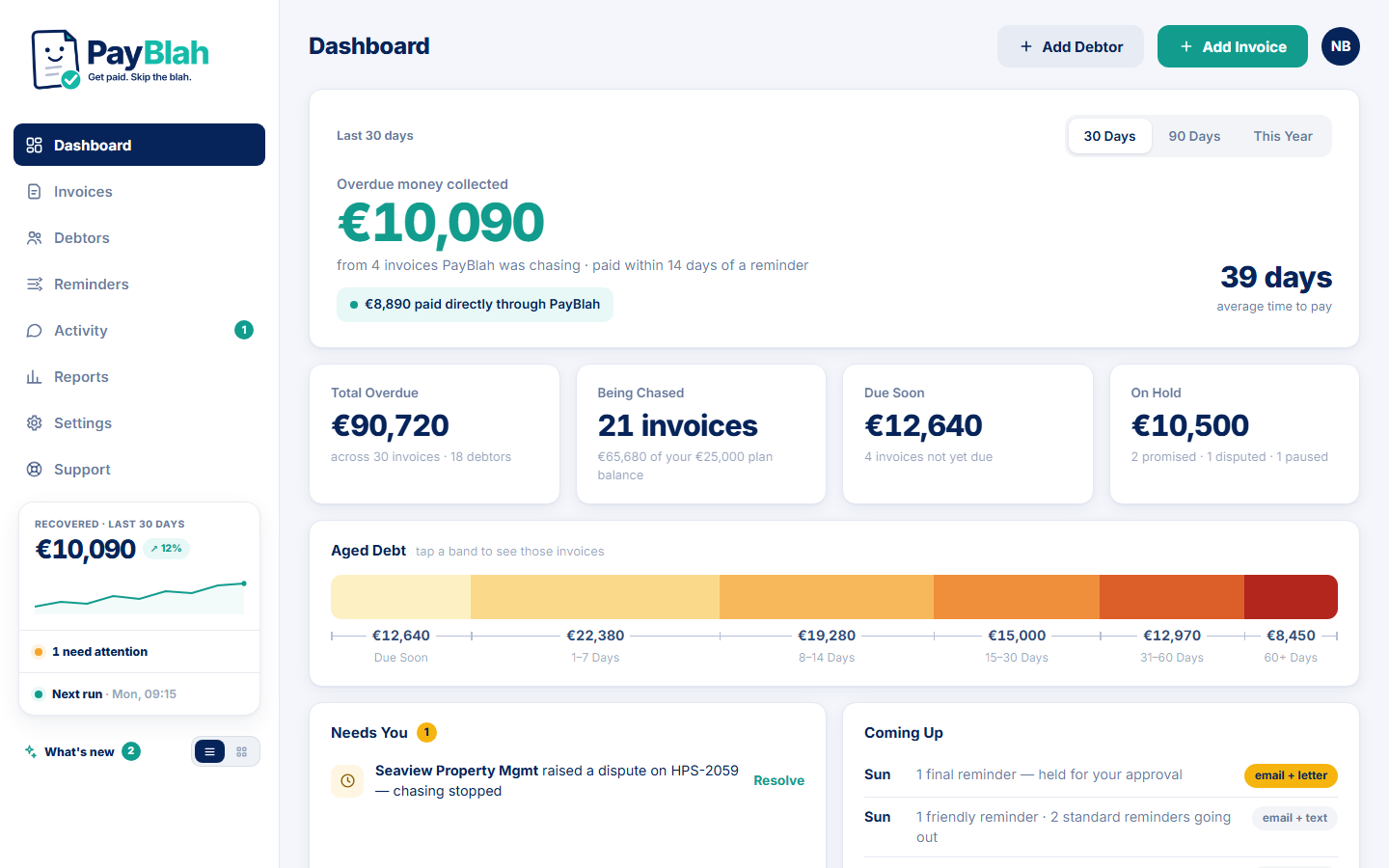
Let it run
Reminders go out on schedule and stop on payment, replies and disputes. You watch the overdue pile shrink from one dashboard, and step in only when it needs you.
The product
Serious software for serious money
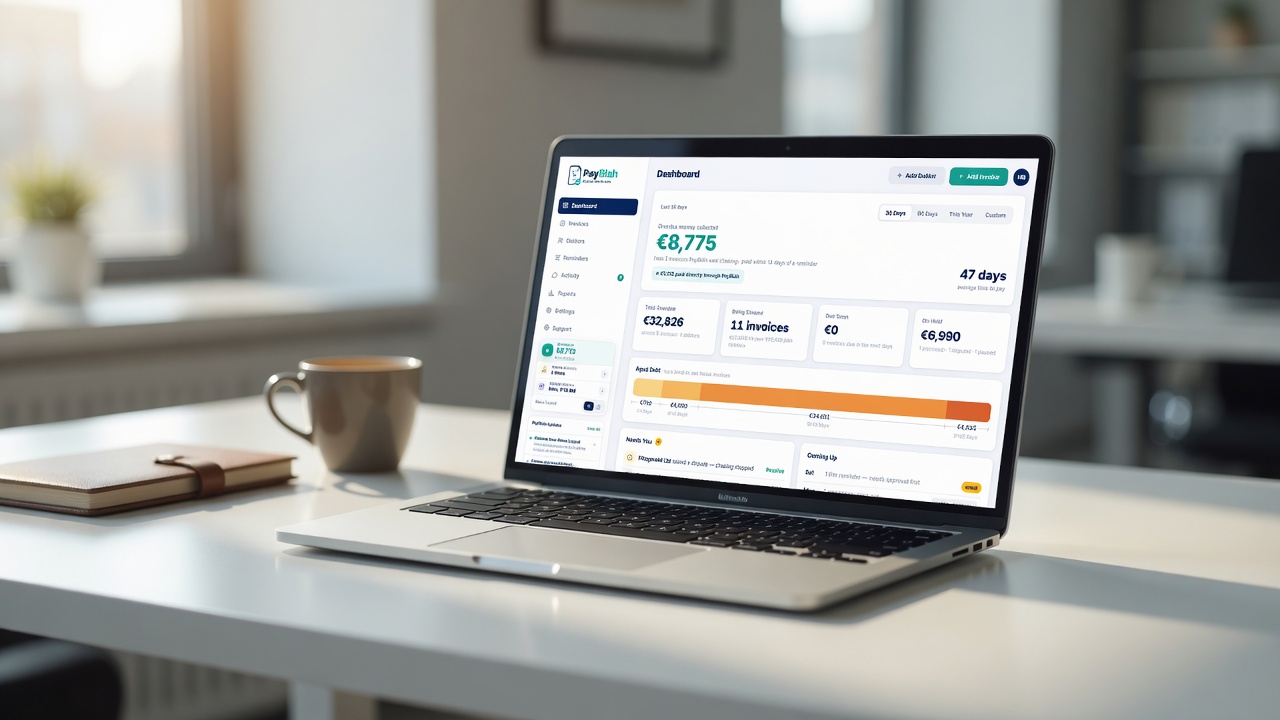
A calm operator view for you, and an easy payment page for the customers who owe you. Every screen below is the real product, shown with sample data.
The dashboard
One look tells you where the money is
Total overdue, what’s being chased, what’s promised, what’s on hold — and what actually came in. The headline number is honest by design: PayBlah counts money as collected only when an invoice is paid within 14 days of a reminder — a fixed window you can stand behind, not a claim it can’t back up. Payments made through your PayBlah links are reported separately.
- Overdue age bands you can act on, not just report on
- A “needs you” queue for replies and disputes
- A plain view of what’s going out next, and when
Counted only when paid within 14 days of a reminder — attribution you can defend
Workflows
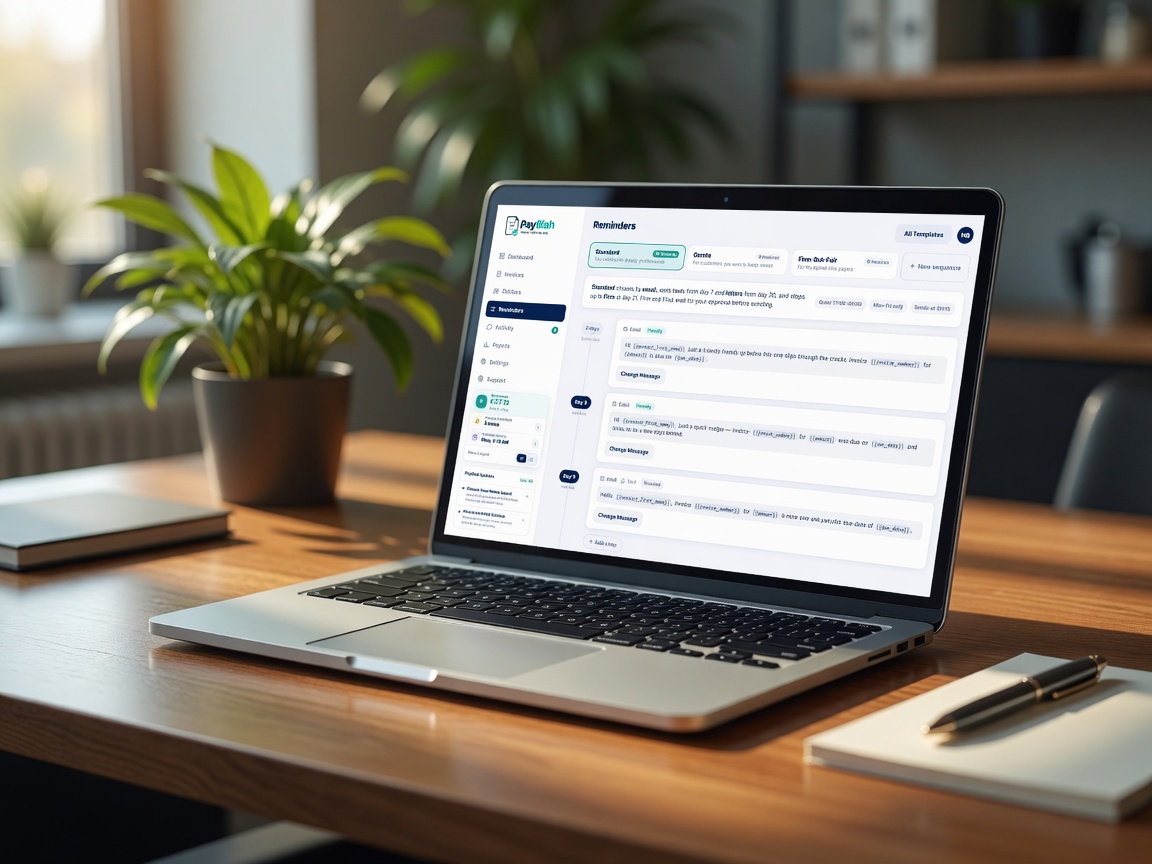
You set the Workflow. It keeps the rhythm.
Day-based email steps — friendly early, firmer later, every word editable. Quiet hours and weekday-only sending are built in, and the firm steps never send without your say-so. SMS is coming soon. Growth+ can generate branded PDF letters for you to download, print, post, and mark sent manually; PayBlah does not post or deliver physical mail.
- Edit the timing, channel and tone of every step
- Quiet hours, Mon–Fri sending, one send time a day
- Firm and Final steps wait for your approval
Firm and Final wait for your approval — nothing sharp sends itself
The customer portal
Make paying the easiest thing they do today
Every reminder links to a secure page in your name — no login, no app to install. Your customer can pay in full, pay part, promise a date, or just talk to you. And if they’ve already paid, one click tells you that too.
- Pay in full or in part, from any device
- Promise-to-pay dates land on your dashboard
- Messages pause the chase and reach you immediately
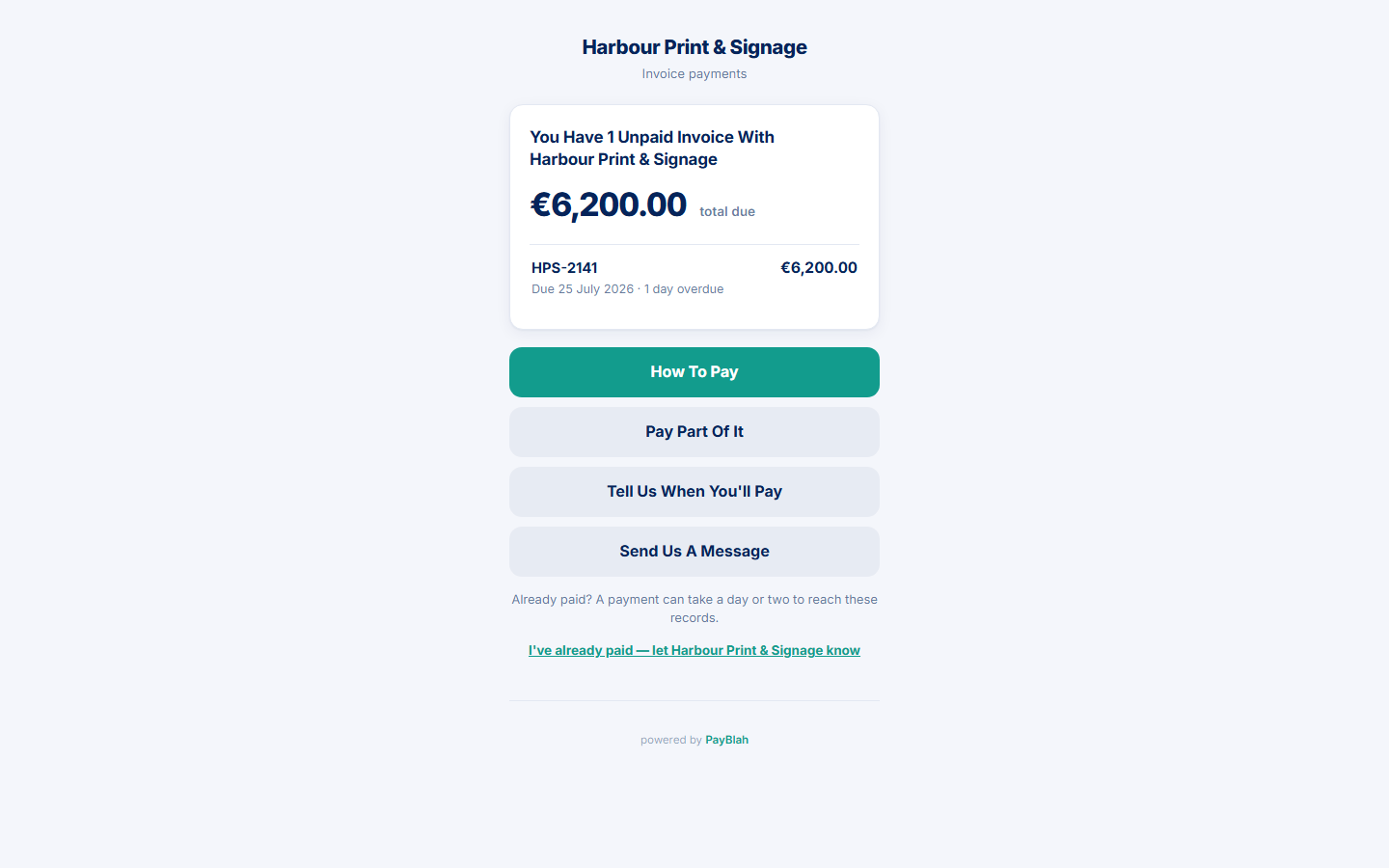 Their options: pay, part-pay, promise a date — or just reply
Out in the world
Wherever the books get done
The office, the workshop desk, the café between site visits — PayBlah is a browser tab, not another system to live in.

Templates & tone
Sounds like you on a good day
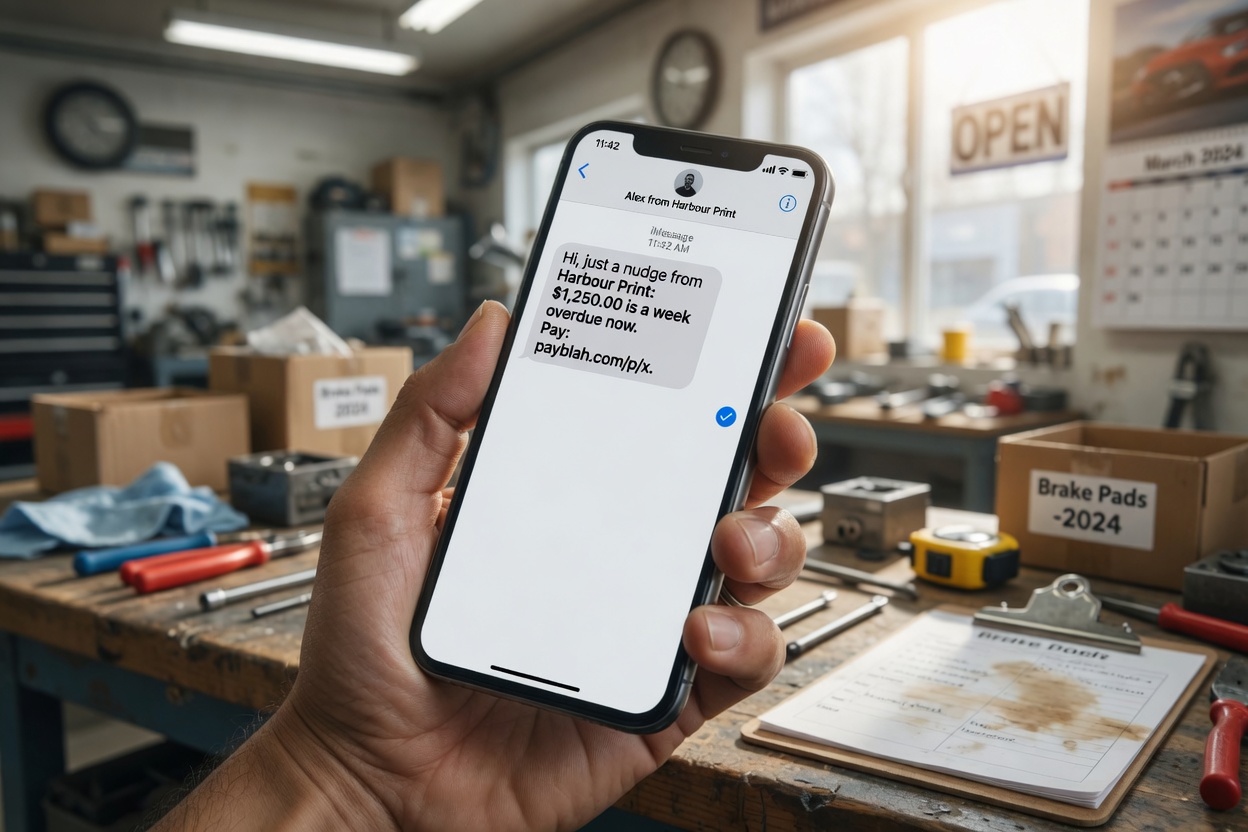
Four tones, ready to edit. Here’s roughly how the same invoice sounds at each step — sample templates with example details, every word yours to change.
Pricing
One flat price. Keep everything you collect.
No success fee, no percentage of what comes in — just a subscription that costs less than the hours you spend chasing.
Starter
€59/ mo
Email-only chasing for solo operators.
- Active invoicesUp to 25
- Seats1
- TextsComing soon
Most Popular
Growth
€99/ mo
Portal and unlimited seats. Texts coming soon.
- Active invoicesUp to 100
- SeatsUnlimited
- TextsComing soon
Pro
€169/ mo
Promises, payment plans, busier books.
- Active invoicesUp to 250
- SeatsUnlimited
- TextsComing soon
Business
€289/ mo
More active invoice space, onboarding help. Texts coming soon.
- Active invoicesUp to 500
- SeatsUnlimited
- TextsComing soon
Questions
Asked, answered
The things people actually want to know before they hand over the chasing.
Will this damage my customer relationships?
It’s built not to — reminders go out in your name, in your words, and stop the instant a payment, reply or dispute arrives. The firmer steps wait for your approval, and any customer can be flagged never-chase. The nudge is there for the customers who simply forgot — and the ones who need you can always reach you in one click.
Is this debt collection?
No — and the difference matters. PayBlah is accounts-receivable software: it reminds your customers about your invoices, as you. We never buy debt, never contact anyone as a third party, and never threaten anything. You remain the creditor at every step.
What happens when a customer replies or disputes an invoice?
Everything for that invoice stops, immediately. The reply lands in your activity queue, the chase shows as paused, and nothing further sends until you’ve read it and decided what happens next. On anything ambiguous, PayBlah’s default is to stop and ask you.
What does it connect to?
Spreadsheet import (CSV or Excel .xlsx) and manual entry today, plus API keys and webhooks for custom flows. Xero, QuickBooks Online and Sage are coming soon — not live until each connector ships. A chase stops when PayBlah sees a payment (manual mark-paid, payment link, or a provider webhook), not because an accounting sync is already live. There’s a REST API and signed webhooks on every plan.
Can I keep certain customers out of it?
Yes. Flag any customer never-chase, pause any invoice or any customer, set a minimum amount below which nothing sends, and there’s a kill switch that halts all sending at once. New accounts also get a first-run review, so you see exactly what would go out before anything does.
Where does PayBlah work?
PayBlah is built for businesses in the US, UK, Ireland and Australia. Multi-currency amounts are kept honestly separate — an invoice in euro never blurs into a total in dollars.
The follow-up phrases you’ll stop writing:
“Just checking in…”
“Sorry to chase this again…”
“Bumping this to the top of your inbox…”
You’re done writing those.
Connect your books, pick a tone, and hand the awkward part over — then get back to the work that makes the invoices exist.